
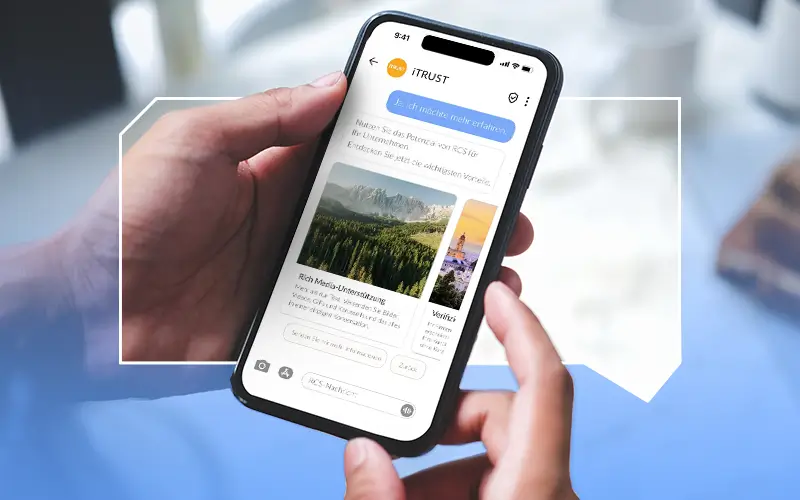
RCS Messaging is now available on most devices —both for Android and iOS. With most major mobile operators now supporting the RCS standard, global interoperability is reaching critical mass. The user base is growing rapidly as well: For Germany, Mobilesquared forecast 45 million users in 2025.
As RCS adoption accelerates, businesses have an opportunity to leverage richer, branded, and more secure messaging to engage customers directly within their native messaging apps. To support businesses in making use of all the advantages of this messaging format, we provide an overview of the features and settings currently available for RCS.
The Basic Features of RCS
RCS messages are available in three formats: basic message, single message, and conversations. RCS messages can be delivered as single stand-alone messages or as part of interactive conversations with persistent chat threads. While SMS only supports text and links, RCS offers more media formats and options for communication. Some of its key advantages:
- No app required: RCS works natively in the phone’s default messaging app
- Verification of sender identity: every RCS Business Message is authenticated at the network level, reducing spam and phishing while increasing customer trust
- Branded messaging: logo, colors, and verified sender ID strengthen brand identity and user confidence
- Interactive features: carousels, quick reply buttons, and automated responses enable two-way engagement and accelerate and increase conversions
To understand how RCS works compared to other messaging services, read our blog article on that topic.
Supported Media Formats
RCS supports a wide range of rich media formats, far beyond what SMS or traditional messaging channels can handle. This allows businesses to create more engaging and visually appealing customer interactions:
- High-resolution photos and videos
- PDFs (currently only available in India)
- Audio files
For sending a message with an image, video, audio, or PDF file, a publicly accessible URL for the content must be provided or you can upload the file directly. For media files, it is also possible to specify a thumbnail that lets users preview the content before clicking on it. For audio files, the default audio widget is used as a placeholder.
Which Formats Are Supported?
Image: JPEG/JPG, GIF, PNG
Video: H.263, M4V, MP4, MPEG, MPEG-4, WebM
Audio files: OGG, AAC, MP3, MPEG, MPG, MP4, MPA-latm, 3GPP
Suggested Replies and Suggested Actions in RCS
Suggested replies provide users with predefined one-tap responses in rich cards, e.g., book, view, shop, or call.
Unsubscribe and Resubscribe Features in RCS
Users can easily opt out or opt in to conversations. They can provide a reason when unsubscribing, and have the option to report spam. Resubscription and unsubscription are available via “SUBSCRIBE” or “UNSUBSCRIBE” in chat.
Embedded Webviews in RCS
Businesses can embed webviews directly in RCS Business Messaging via the Open URL suggested action, enabling users to take actions, like accessing payment platforms, without leaving the Messages app. This functionality helps brands deliver smoother user journeys and reduce friction during the conversion process. If a device does not support embedded webviews, the web page is opened in the user’s browser instead.
Beyond these existing features, RCS capabilities continue to evolve rapidly, introducing new ways for businesses and customers to interact, automate, and personalize conversations in real time.